.png)
Auto Sync orders on Order Fulfilled
When On order fulfilled is on, the app also sends an order to Xero when it's marked as fulfilled in Shopify. This sends the latest fulfilment-related details, such as quantity changes tied to the fulfilment.

Your other Auto sync settings keep working exactly as they do now, so an order can still sync when it is unpaid, paid or updated.
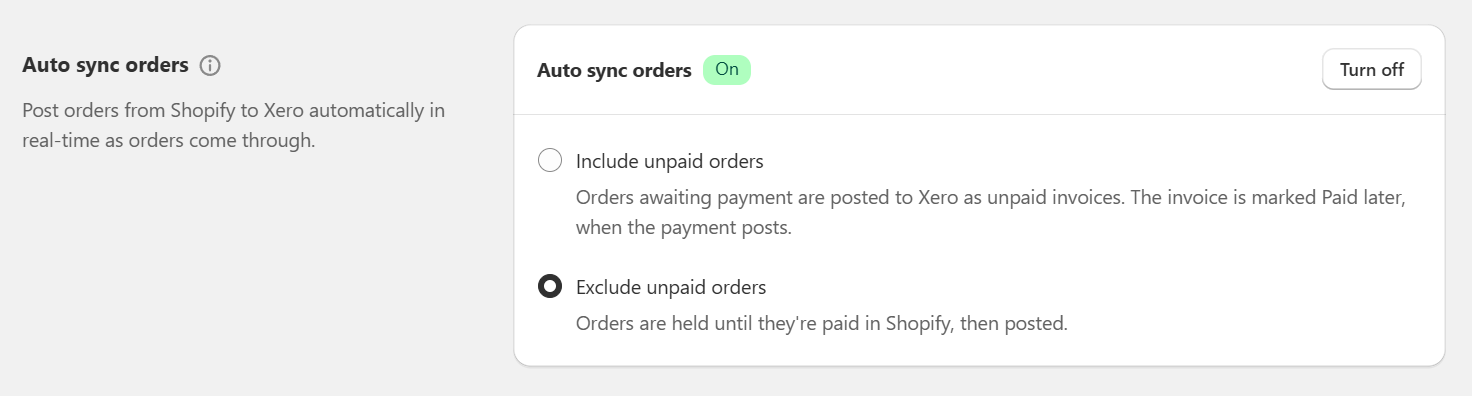
If you prefer to only sync on fulfilment
The two settings underneath it change that. Each one turns fulfilment into the only thing that starts a sync, and you would use one of them when an invoice should not reach Xero until the goods have gone out.
Only sync partially or fully fulfilled orders
Turn this on when an order should sync as soon as any part of it ships. The order waits until the first item is fulfilled, then syncs.
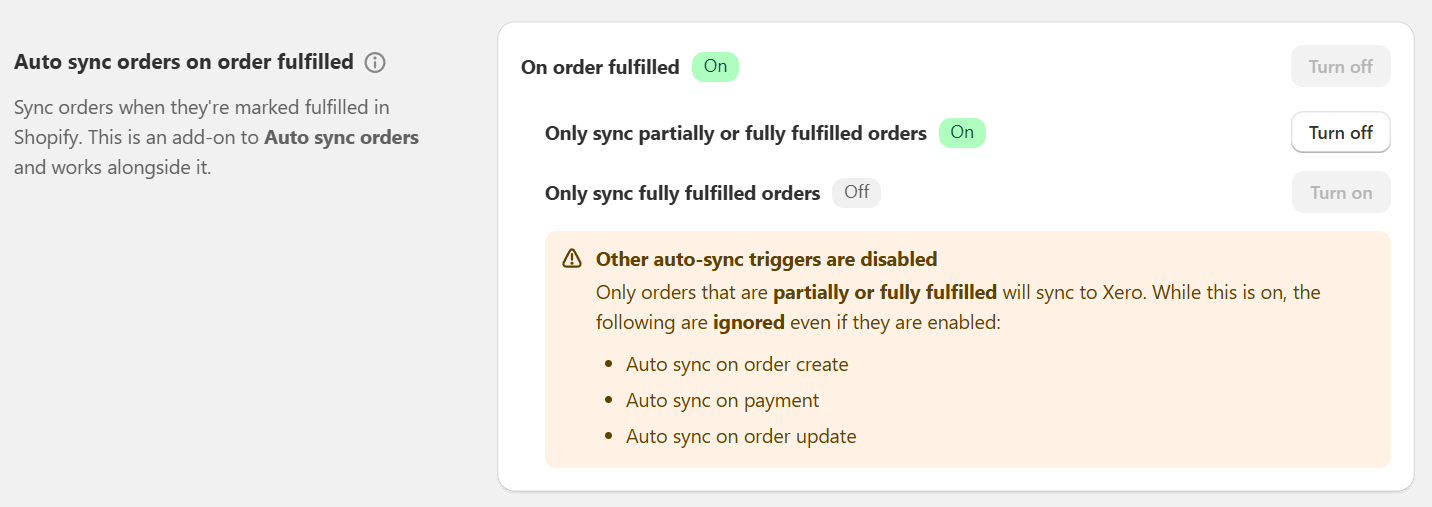
While this is on, auto sync on unpaid, paid and update are ignored, even where you have them switched on.
Only sync fully fulfilled orders
This is the stricter version. The order waits until every item on it has been fulfilled, so a part-shipped order keeps waiting.
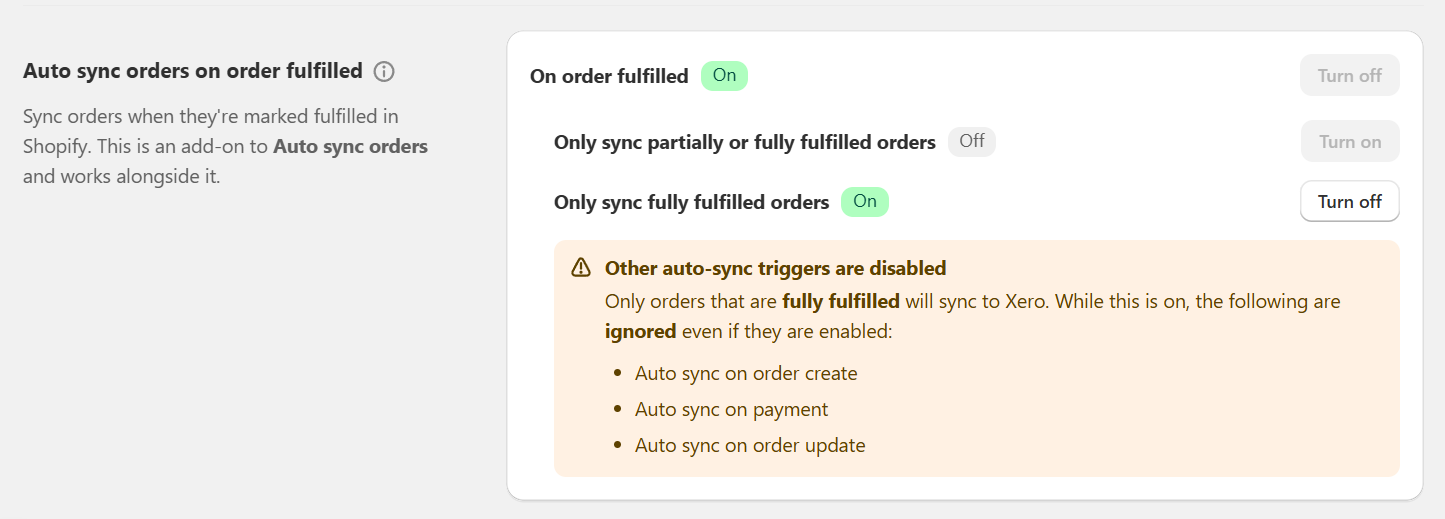
While this is on, auto sync on unpaid, paid and update are ignored, even where you have them switched on.
Worth knowing before you turn one on
A few rules decide how these three settings behave together:
- Both filters are sub-options of On order fulfilled. That has to be on first, or neither can be switched on.
- Only one filter can be on at a time. Turning one on locks the other, because an order cannot wait for part of itself and all of itself at once.
- Nothing is lost while an order waits. It is not an error and it is not skipped — it syncs by itself as soon as it reaches the level of fulfilment you chose.
- You can still send a waiting order at any time. Select it in Dashboard - Orders and click Post to Xero; posting by hand is never blocked by these settings.
Recommended use
This setup is common for B2B and wholesale businesses, where invoices should only appear in Xero after goods have shipped (or partly shipped). It stops invoices being created too early — at order creation or payment — and keeps Xero in line with what's actually been fulfilled. It also moves the date your revenue lands in Xero, so it is worth checking that suits how you recognise revenue before switching it on.