.png)
Setup Clearing Account
A clearing account holds the money a payment gateway has collected for you but not yet paid out. This article shows how to set one up for Shopify Payments. The steps are the same for any other payment gateway.
Note for PayPal: if your PayPal account is connected directly to Xero, you do not need a clearing account for PayPal. Answer No to the clearing account question and choose the PayPal account in Bank account for payouts. If PayPal is not connected to Xero and pays you several orders in one deposit, set up a PayPal clearing account by following the steps below.
There are two ways to do it. Use Option 1 unless you have already created the account in Xero.
Option 1: Let Post to Xero Create the Account
- Open Setup - Payouts.
- Click Edit at the end of the Shopify Payments row.
- Under Where payouts land, answer Yes to Use a clearing account for Shopify Payments?
- In Clearing account, type a name that says what the account is for, such as Shopify Clearing Account, then click Create in the list that appears.
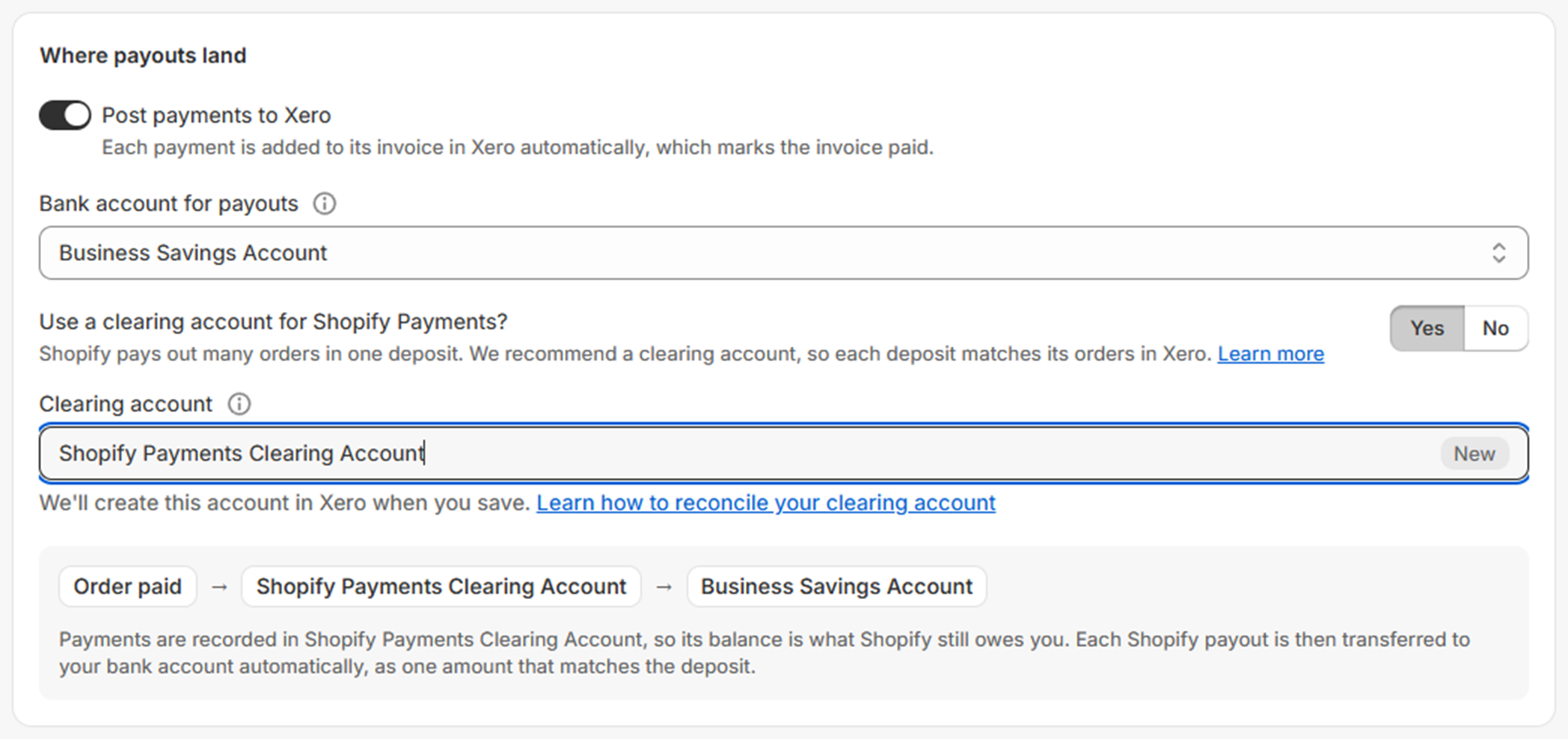
- Click Done.
- Click Save in the bar at the top of the page.

The clearing account is created in Xero for you when you save, and the gateway shows Active.

Shortcut: Auto-fill all gateways on Setup - Payouts suggests a clearing account for every gateway that needs one, and creates it when you save.
Option 2: Create the Account in Xero First
Step 1: Create the clearing account in Xero
- In Xero, open Accounting in the top menu.
- Select Bank accounts.

- Click Add Bank Account.
- Choose a bank. Any will do, because no bank feed is needed.
- Name the account Shopify Clearing Account, or a similar name that says what it is for.
- Fill in the rest of the details.

- Click Save & continue.

Step 2: Choose it in Post to Xero
- Open Setup - Payouts.
- Click Edit at the end of the Shopify Payments row.
- Under Where payouts land, answer Yes to Use a clearing account for Shopify Payments?
- In Clearing account, choose the account you created in Step 1.
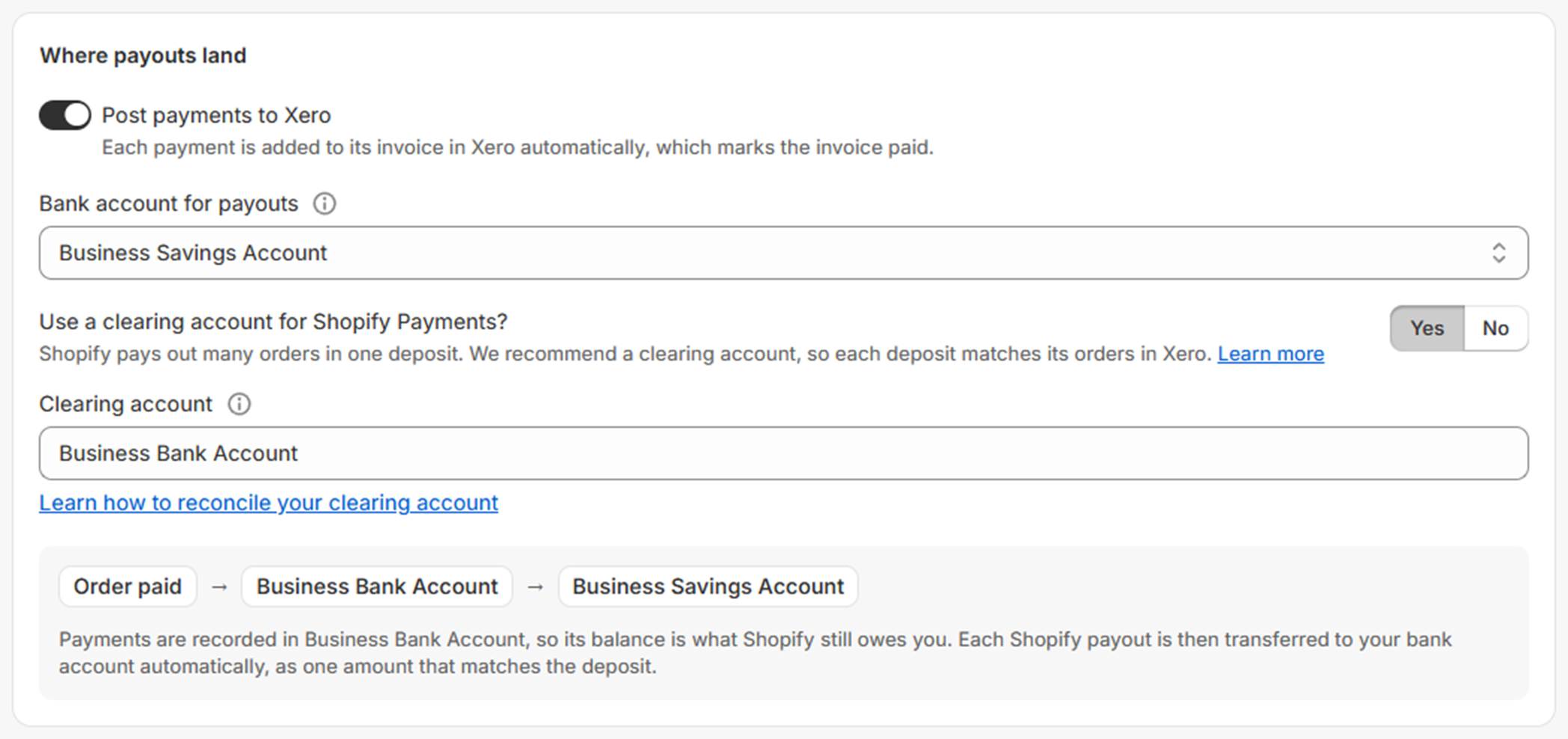
- Click Done.
- Click Save in the bar at the top of the page.
If the account you created is not in the list, check in Xero that it is a Bank account with Enable payments to this account ticked, then reload Setup - Payouts.
Next, see How to reconcile your clearing account. For the other settings on this page, see Setup Payouts.